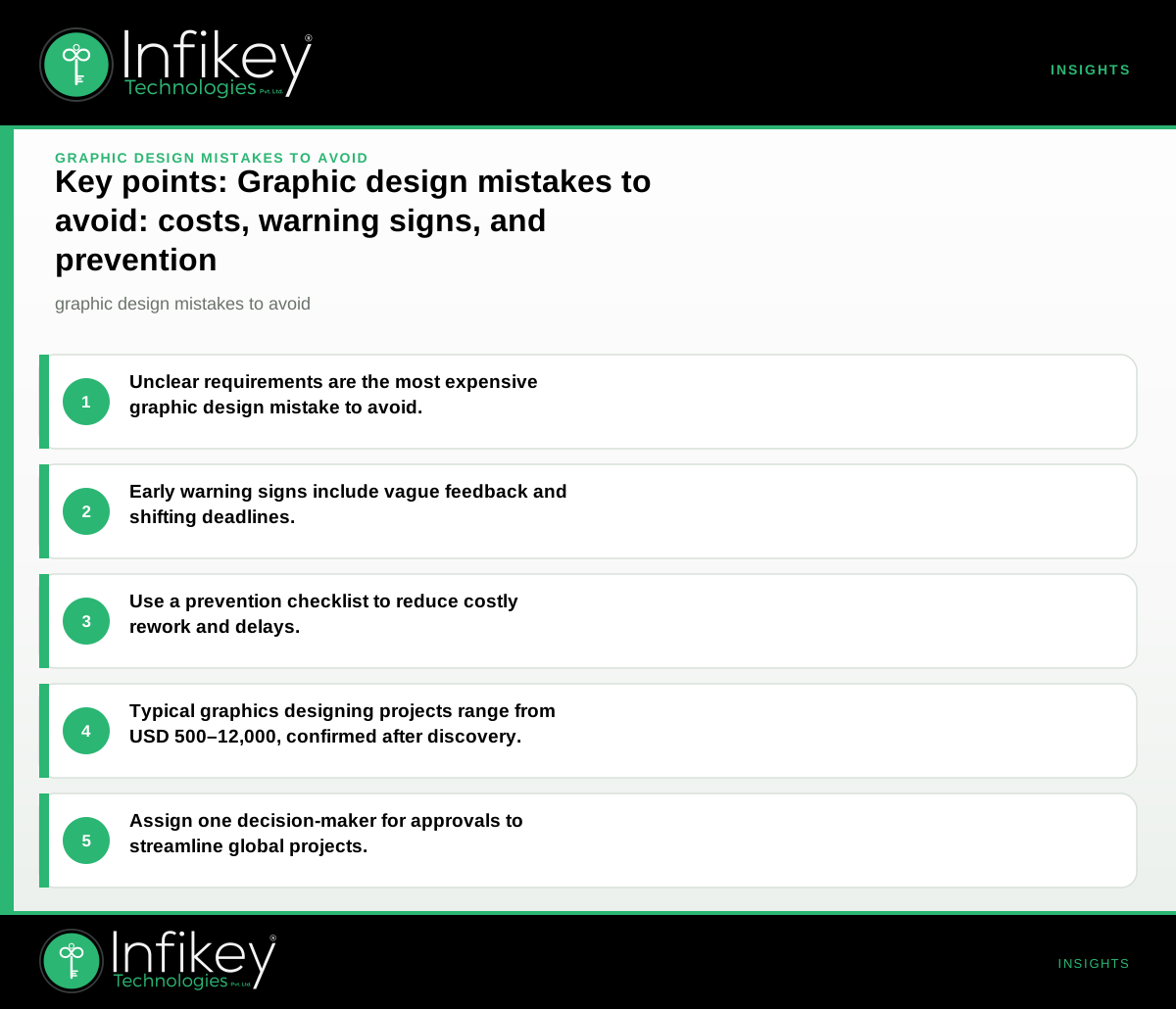
The most expensive graphic design mistake is unclear project requirements—leading to misaligned visuals, wasted revisions, and higher costs. To avoid this, document your brand guidelines, objectives, and approval process before briefing your design partner. This ensures your investment in graphics designing delivers the right results, on budget and on time.
Table: Common graphic design mistakes and how to avoid them
| Mistake | Why it happens | What it costs you | How to avoid it |
|---|---|---|---|
| Unclear requirements | Vague briefs, missing brand assets | Rework, delays, extra cost | Provide detailed briefs and brand guidelines |
| Ignoring target audience | No user research, assumptions | Poor engagement, missed goals | Define audience personas and use cases |
| Overcomplicated visuals | Lack of hierarchy, too many elements | Confusion, weak messaging | Prioritise clarity, use white space |
| Low-resolution images | Sourcing issues, rushed asset selection | Pixelation, unprofessional look | Use high-res assets and check export settings |
| Inconsistent branding | No style guide, multiple designers | Brand dilution, confusion | Share/approve a style guide before starting |
| Skipping feedback rounds | Rushed timelines, unclear sign-off | Missed errors, costly fixes later | Schedule feedback and final approval checkpoints |
| Poor file handover | Wrong formats, missing source files | Extra work, delays in deployment | Specify file types and delivery expectations |
Understanding Common Graphic Design Errors
Many businesses encounter common graphic design errors that can easily be avoided with careful planning and communication. These errors often stem from a lack of clarity in the initial brief, inconsistent branding, or misunderstanding the needs of the target audience. For example, using inconsistent typefaces or mismatched color palettes can dilute your brand’s impact, while failing to consider the end-use of a design (such as print vs. digital) may result in costly rework. Recognizing these pitfalls early can save both time and budget.
Examples of Common Mistakes in Real Projects
- A retail campaign launches with pixelated images because the files were exported at low resolution, leading to a poor customer impression and the need for last-minute redesigns.
- A technology company’s product brochure features inconsistent icons and colors due to a lack of a shared style guide, weakening brand recognition.
- A healthcare provider’s website redesign stalls because multiple stakeholders provide conflicting feedback, resulting in repeated revisions and delayed launch.
Early Warning Signs During a Project
On projects like this, we usually see issues early when:
- Designers ask for missing assets or unclear references after starting.
- Feedback is vague ("make it pop") or not tied to objectives.
- There is no single point of contact for approvals.
- Visuals are delivered in inconsistent formats or sizes.
- Deadlines keep shifting due to repeated rework.
If you notice any of these, pause and clarify requirements, feedback, or file expectations immediately.
Graphic Design Project Checklist
A robust graphic design project checklist helps prevent missteps and ensures all parties are aligned. Before starting your next project, consider the following steps:
- Define your goals and audience before briefing.
- Share up-to-date brand guidelines and reference designs.
- List required deliverables and preferred formats (such as JPEG, PNG, SVG, PDF, or source files like AI/PSD).
- Agree on feedback rounds and sign-off points in writing.
- Confirm file handover expectations (editable, print/web, etc).
- Assign one decision-maker for approvals.
- Use a simple project tracker to monitor progress and feedback.
- Clarify usage rights and licensing for all assets and images.
- Establish a timeline with clear milestones and deadlines.
- Schedule a final review before launch or publication.
Understanding Graphic Design File Formats
Choosing the right graphic design file formats is crucial for efficient handover and future use. Each format serves a specific purpose:
- AI/PSD: Editable source files for future revisions (Adobe Illustrator/Photoshop).
- PDF: Versatile for print and sharing, preserves vector quality.
- SVG: Scalable vector graphics for web and digital interfaces.
- PNG/JPEG: Common for digital use; PNG supports transparency, JPEG is best for photos.
- EPS: Preferred for large-scale print, signage, or vendor use.
Always specify which formats you require at the start of your project. For example, a logo should be delivered in both vector (AI, SVG, PDF) and raster (PNG, JPEG) formats to cover all use cases. This avoids the common error of receiving only flattened images that can’t be resized or edited later.
What Does a Typical Graphics Designing Project Cost?
For an international audience, most graphics designing projects fall into these planning ranges (final scope confirmed after discovery):
- Logo & branding: USD 800–3,000 for a full suite (logo, colour palette, basic brand guide), typically delivered in 2–4 weeks.
- Marketing collateral (brochures, banners, social media kits): USD 500–2,500 depending on volume and complexity, 1–3 weeks.
- Website or app UI design: USD 4,000–12,000 for a design system and 8–15 key screens, 4–8 weeks. See Website development for full site builds.
For larger or ongoing needs, a retainer or managed design service can be scoped. Always confirm deliverables, rounds of revision, and file types in your agreement.
Example Project Scenarios and Ballparks
- A mid-market retailer launching a new e-commerce site: Needs a design system, homepage, and 10 product/category screens. Ballpark: USD 4,000–12,000, timeline 4–8 weeks.
- A startup needing a [brand identity](/tools/logo-branding-cost-calculator): Requires a logo, color palette, and social media kit. Ballpark: USD 800–3,000, timeline 2–4 weeks.
- A healthcare provider updating patient brochures: Needs 5–10 print-ready brochures and digital banners. Ballpark: USD 500–2,500, timeline 1–3 weeks.
These are planning ranges—final scope and commercials are confirmed after discovery. See Graphics designing service for more details or contact us to discuss your project.
How to Brief a Graphic Designer
A clear, actionable brief is your best defense against common graphic design errors. To brief a graphic designer effectively:
- Describe your brand and objectives: Share your mission, values, and what you want to achieve with the project.
- Provide all relevant assets: Logos, color palettes, fonts, previous designs, and any style guides.
- Define your target audience: Include demographics, preferences, and use cases.
- List all deliverables: Specify sizes, formats, and usage scenarios (web, print, social, etc).
- Set feedback and approval processes: Clarify who gives feedback, how many rounds are included, and who signs off.
- Communicate timelines and key deadlines: Be realistic and factor in time for revisions.
- Discuss budget and scope: Align on what’s included and what might cost extra (additional concepts, stock images, etc).
A well-structured brief reduces ambiguity, limits revisions, and ensures a smoother project flow.
Decision Rules: When to Escalate or Re-align
- If feedback cycles exceed two rounds without improvement: Revisit the brief and clarify expectations with the designer.
- If you receive files in the wrong format or poor quality: Request a checklist of required formats and schedule a file review before final sign-off.
- If multiple stakeholders are giving conflicting feedback: Assign a single decision-maker and consolidate comments before sharing with the design team.
- If project milestones are repeatedly missed: Pause and realign on scope, priorities, and communication channels.
Questions to Ask Your Graphics Designing Partner
- Can you show examples of similar work for our industry or audience?
- How do you handle brand guidelines and ensure consistency?
- What is included in your quoted price (rounds of revision, file types)?
- Who will be my main point of contact for feedback and approvals?
- How do you manage handover and format requirements for global clients?
- What is your process for incorporating feedback and ensuring timely delivery?
- How do you safeguard our brand assets and data?
Using Infikey for Graphics Designing: What to Expect
With Infikey Technologies Pvt. Ltd., global buyers can expect clear documentation, USD-friendly planning, and a process designed for non-technical sponsors. Our team ensures:
- Detailed requirement capture and brand alignment before design starts.
- Structured feedback rounds, with checkpoints for sign-off.
- File delivery in all agreed formats, ready for print or digital use.
- Transparent communication across time zones.
- Guidance on file formats and export settings to suit your deployment needs.
- Project management support to keep timelines and feedback on track.
We serve clients across industries including financial services, healthcare, retail, manufacturing, and technology. Our approach is tailored to the needs of each sector, ensuring compliance, consistency, and brand impact.
See our Graphics designing service for more details or contact us to discuss your project.
Avoid the most expensive graphic design mistakes by planning your brief, feedback, and file handover up front.
Ready to start? Visit our Graphics designing page or talk to Infikey for a requirements checklist and tailored proposal.