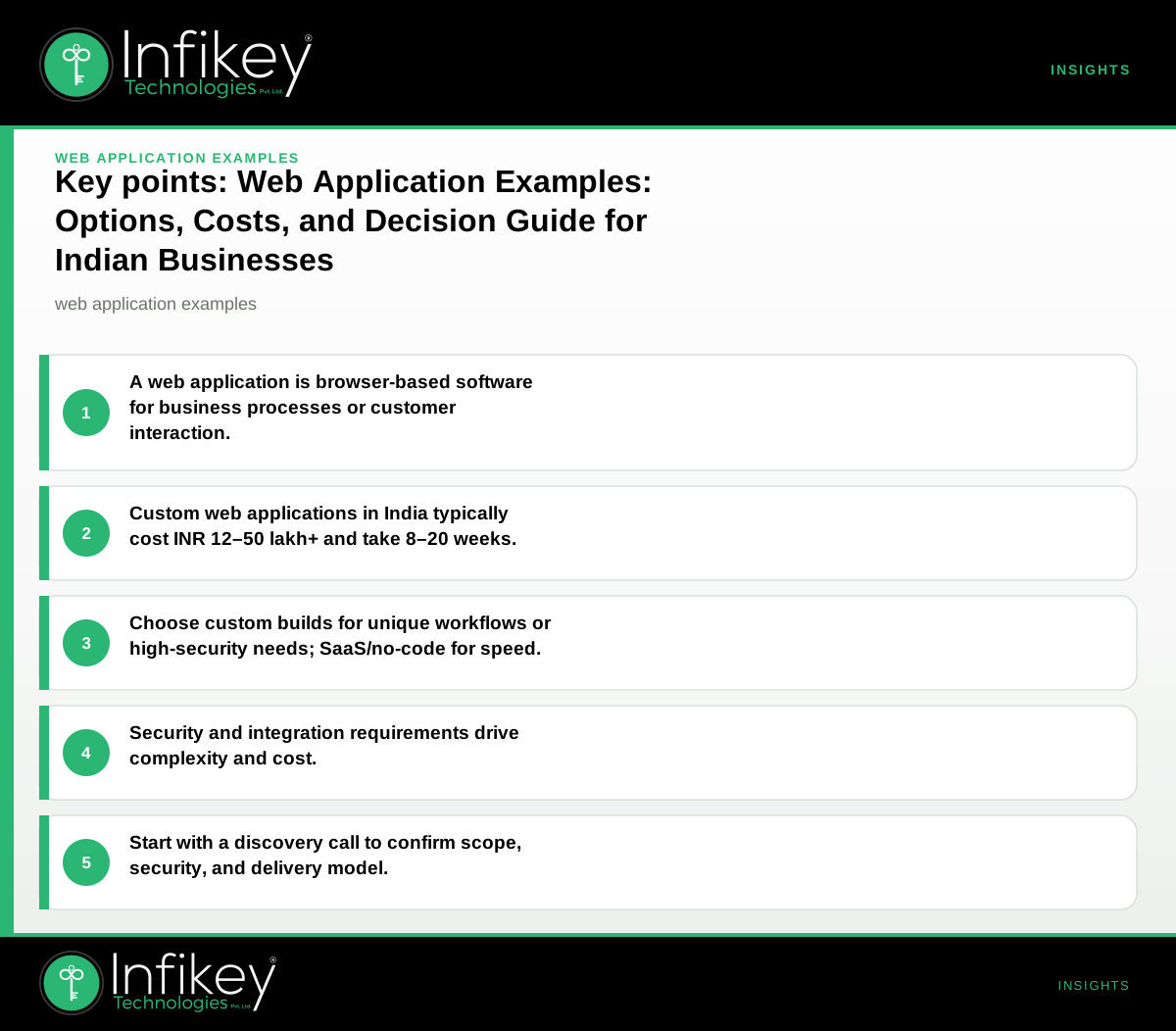
A web application is an interactive software tool accessed via a browser—like a portal, dashboard, or e-commerce site—built to solve a business need. Indian businesses typically need a web application when off-the-shelf products cannot meet their process, integration, or security requirements.
What Are Web Application Examples?
Web application examples span a wide range of industries and use cases, each tailored to specific business needs. Some of the most common web application examples include:
- E-commerce platforms: Online stores that handle product catalogues, payments, and order management.
- Customer portals: Secure dashboards for clients to view documents, track orders, or manage accounts.
- Enterprise resource planning (ERP) systems: Custom tools for managing inventory, HR, and operations.
- Healthcare appointment systems: Patient-facing portals for booking, records, and telemedicine.
- Learning management systems (LMS): Platforms for delivering online courses and tracking student progress.
- Collaboration tools: Project management dashboards, file sharing, and communication suites.
- Banking and finance dashboards: Secure applications for account management, loan processing, and reporting.
These web application examples illustrate how digital tools can streamline workflows, improve customer experiences, and enable secure, scalable operations for businesses in India.
Types of Web Applications
Understanding the types of web applications helps businesses choose the right architecture and approach for their needs. The main types include:
1. Static Web Applications
- Description: Serve fixed content with minimal interactivity (e.g., company brochure sites).
- Use case: Informational portals, basic web presence.
2. Dynamic Web Applications
- Description: Content and interface change based on user input or database updates.
- Use case: E-commerce sites, dashboards, content management systems.
3. Single-Page Applications (SPA)
- Description: Load a single HTML page and dynamically update content without full page reloads.
- Use case: Modern dashboards, email clients, analytics tools.
4. Progressive Web Applications (PWA)
- Description: Offer app-like experiences in the browser, including offline access and push notifications.
- Use case: Mobile-first platforms, retail, loyalty apps.
5. Multi-Page Applications (MPA)
- Description: Traditional model where each interaction loads a new page from the server.
- Use case: Large portals, enterprise systems, government platforms.
6. Web Portals
- Description: Centralised platforms aggregating information and services for specific user groups.
- Use case: Employee portals, student portals, client service hubs.
Web Portal Examples
Web portals are a specific type of web application designed to provide a central point of access to information, tools, or services. Some practical web portal examples include:
- Employee self-service portals: HR management, leave requests, and payroll information for staff.
- Student portals: Course registration, grades, and communication for educational institutions.
- Customer support portals: Ticketing, FAQs, and self-service knowledge bases.
- Vendor management portals: Onboarding, compliance, and order tracking for suppliers.
- Healthcare patient portals: Appointment scheduling, test results, and secure messaging.
These web portal examples demonstrate how tailored access and self-service features can reduce workload for support teams and improve user satisfaction.
How a Web Application Works: Step-by-Step
- User accesses the app through a browser on desktop or mobile.
- Frontend (UI) displays forms, dashboards, or data visualisations.
- Backend (server) processes logic, stores data, and applies business rules.
- Database securely stores and retrieves information as needed.
- Integrations connect with other systems (e.g., payment gateways, CRMs).
- Security controls (authentication, authorisation, encryption) protect data and users.
On projects like this, we usually see a discovery phase to confirm requirements, followed by design, development, testing, deployment, and ongoing support. For regulated industries or sensitive data, Cybersecurity is a critical layer from the start.
Table: Web Application Approaches, Best Use, and Trade-Offs
| Approach | Best For | Trade-Off |
|---|---|---|
| No-code/low-code tools | Prototyping, simple internal tools | Limited customisation, vendor lock-in |
| Custom development | Unique workflows, integrations, scaling | Higher upfront cost, longer timeline |
| Open-source frameworks | Budget-conscious, extensible solutions | Needs technical skill, ongoing updates |
| SaaS with custom layer | Fast launch, standard features | Less control, recurring fees |
Rule of thumb: If your workflow is unique or security is a priority, custom development is usually justified. For simple, non-sensitive use cases, no-code or SaaS may suffice.
Custom Web Application vs SaaS: Which Is Right for You?
When evaluating web application examples, businesses often compare custom web application vs SaaS (Software as a Service) options. Each approach has its advantages and trade-offs:
Custom Web Application
- Pros: Tailored to unique processes, full control over features and data, better integration with internal systems, stronger security customisation.
- Cons: Higher initial investment, longer development time, requires ongoing maintenance.
- Best for: Regulated industries (finance, healthcare), complex workflows, or when data sovereignty is critical.
SaaS (Software as a Service)
- Pros: Rapid deployment, predictable monthly costs, built-in updates and support, scalable for standard use cases.
- Cons: Limited customisation, vendor dependency, recurring fees, possible data residency concerns.
- Best for: Standard business functions (CRM, HR, accounting) where requirements are not unique.
Decision tip: If your business requires unique workflows, deep integrations, or has strict compliance needs, a custom web application is usually the better fit. For generic needs or fast launch, SaaS can be a cost-effective solution.
Web Application Development Cost in India
Understanding the web application development cost in India is crucial for planning and budgeting. Costs can vary widely based on complexity, features, integrations, and security requirements. Below are typical planning ranges for Indian businesses:
| Project Type | Typical Scope | Budget (INR, excl. GST) | Timeline |
|---|---|---|---|
| SME portal or dashboard | Auth, roles, dashboards, basic integrations | 12–25 lakh | 8–14 weeks |
| Mid-market e-commerce or workflow | Auth, dashboards, payment, advanced integrations | 25–50 lakh+ | 14–20 weeks |
| Infrastructure/security hardening | Review, CI/CD, monitoring, security baseline | 2.5–12 lakh | 2–6 weeks |
Note: These are planning ranges only. Final scope and commercials are confirmed after a discovery call. Hybrid delivery (on-site + remote) is common in India, with GST added to invoices.
Example Project Shapes: Budgets and Timelines
#### 1. SME Portal or Dashboard A mid-sized business in Ahmedabad may need a secure portal for staff and clients, with authentication, dashboards, and integration with payment gateways. Planning range: 12–25 lakh, delivered in 8–14 weeks.
#### 2. E-commerce Platform A retailer looking to scale online sales might require a custom e-commerce application with product management, payment integration, and reporting. Budget: 25–50 lakh+, timeline 14–20 weeks.
#### 3. Security Hardening Sprint For businesses upgrading existing web applications, a focused sprint to review infrastructure, CI/CD, and security controls can be delivered in 2–6 weeks, with a planning range of 2.5–12 lakh.
Web Application Security Checklist
Security is a non-negotiable aspect of any web application, especially for Indian businesses handling sensitive data or operating in regulated sectors. Below is a practical web application security checklist to guide your planning:
- Authentication: Enforce strong user authentication (multi-factor where possible).
- Authorisation: Ensure proper role-based access control for all features and data.
- Encryption: Use HTTPS/TLS for all data in transit; encrypt sensitive data at rest.
- Input validation: Sanitize all user inputs to prevent SQL injection and XSS attacks.
- Session management: Implement secure session handling with timeouts and protection against hijacking.
- Audit logging: Track key events and access for compliance and incident response.
- Regular updates: Keep all frameworks, libraries, and dependencies up-to-date.
- Penetration testing: Schedule periodic security assessments, especially before go-live.
- Compliance standards: Align with applicable regulations (e.g., RBI, HIPAA, GDPR) where relevant.
Involving a specialist like Infikey Technologies Pvt. Ltd. early in the process can help ensure these controls are built in from the start. Learn more about Cybersecurity services.
Decision Checklist: Choosing Your Web Application Approach
- Is your process unique or regulated? If yes, custom build is likely needed.
- What integrations are required? List all third-party systems (ERP, CRM, payment, etc.).
- What is your security risk profile? For sensitive data, involve Cybersecurity from day one.
- What is your budget window? Use the ranges above to set expectations before vendor outreach.
- Do you have in-house technical support? If not, plan for ongoing maintenance.
- How soon do you need to launch? No-code/SaaS is fastest but least flexible; custom builds take longer but fit better.
How to Get Started: 5 Steps for Indian Businesses
- Define your core use case and must-have features (not just nice-to-haves).
- List required integrations (payment, CRM, SMS, analytics, etc.).
- Decide on data sensitivity and compliance needs (e.g., for healthcare or finance).
- Set a planning budget using the table above, factoring in GST.
- Book a discovery call with a provider like Infikey Technologies Pvt. Ltd. to confirm scope, security, and delivery model (Contact Infikey).
Frequently Asked Questions: Web Application Examples and More
What makes a good web application example?
A good web application example solves a real business problem, integrates smoothly with other systems, is secure by design, and delivers a user-friendly experience on both desktop and mobile.
How do web application types affect cost and timeline?
Complex types like dynamic web applications, SPAs, and portals require more development effort, increasing both cost and timeline. Simpler static or no-code tools are faster and cheaper but less flexible.
Can I start with SaaS and move to custom later?
Yes, many businesses start with SaaS for speed and cost, then invest in custom web application development as their needs become more complex or unique.
What industries benefit most from custom web applications?
Industries with unique workflows, regulatory requirements, or sensitive data—such as financial services, healthcare, manufacturing, and education—typically benefit most from custom solutions.
Internal Links and Next Steps
- Website development: For brochure sites and basic portals
- Cybersecurity: For secure builds and audits
- Cloud and infrastructure: For scalable hosting and resilience
- Contact Infikey: For a tailored discovery call
Ready to scope your web application, or need a security review? Contact Infikey to discuss your requirements and get a clear, local planning range.